Need help with your PlayinMatch account or have a question about our platform?
The PlayinMatch support team is available to assist with general account and platform-related queries.
You can contact us by email or phone. Our customer care team is available 24/7 to help you with your concerns.
Whether you need help with login access, registration, account questions, or general support, reach out using the contact details below.

For general questions and support requests, contact our team by email.
Email : [email protected]
When sending an email, explain your issue clearly. Include relevant account information where necessary.
However, never share your password, OTP, or other sensitive security credentials through email.

You can also contact PlayinMatch by phone for assistance.
Phone : +91 8873582790
Our support team can help with general questions and account-related concerns.
Before calling, keep the details of your issue ready. This can help the support team understand your request more efficiently.
We aim to make it easy for users to contact PlayinMatch whenever they need assistance.
Choose the contact method that works best for you.
PlayinMatch customer care support is available 24/7.
You can contact the support team at any time for assistance.
Whether you need help during the day or late at night, our customer support channel remains available.
For faster assistance, clearly explain your concern when contacting the team.
You can find the PlayinMatch office at the following address:
80/6, Pune, 411001, India
This address can be used for general correspondence and location-related information.
For account support, contacting customer care by phone or email may provide a more suitable response.
The PlayinMatch support team can assist with general platform and account-related questions.
Common support topics may include:
If your concern relates to a specific transaction or account feature, provide clear details when contacting support.
Having trouble accessing your PlayinMatch account?
First, check that your login information is correct.
If you have forgotten your password, follow the available account recovery instructions.
If the problem continues, contact PlayinMatch customer support.
Explain the issue clearly so the support team can understand what is preventing access.
Never share your password or OTP with another person.
New users may sometimes have questions during account registration.
If you experience a registration problem, check that all required information is entered correctly.
Also, make sure your contact details are accurate.
If you still cannot complete registration, contact the PlayinMatch support team.
Our customer care team can provide guidance based on the current registration process.
If you experience problems while accessing PlayinMatch from a mobile device, check your internet connection first.
You can also restart your browser or application and try again.
If an official PlayinMatch app is available for your device, make sure you are using the current supported version.
If the issue continues, contact customer support with details about your device and the problem.
Avoid installing applications from unknown sources.
Contacting PlayinMatch support is simple.
For written assistance, send your query to [email protected].
For direct assistance, call +91 8873582790.
You can also use the provided office address for general correspondence.
Before contacting support, clearly identify the issue you are experiencing.
Providing accurate information can help the support team understand your request more quickly.
When contacting PlayinMatch, include enough information to explain your issue.
For example, you can mention:
Do not include your password or private security codes.
Only provide sensitive information when an official and secure process specifically requires it.
Account security should always remain a priority.
Never share your PlayinMatch password with anyone.
Do not disclose OTPs or verification codes to unknown individuals.
Also, avoid clicking suspicious links claiming to provide PlayinMatch support.
Use the official contact details published on the PlayinMatch website.
If you believe someone has accessed your account without permission, contact customer support as soon as possible.
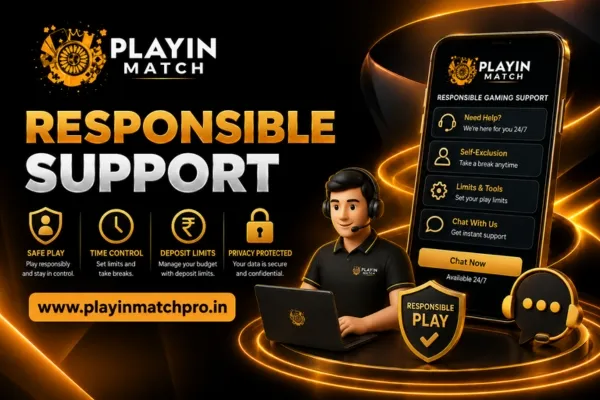
PlayinMatch aims to provide helpful customer support while encouraging responsible platform use.
If you have concerns about your gaming activity, take a break and review your habits.
You can also visit the PlayinMatch Responsible Gaming page for guidance on managing time, spending, and gaming behavior.
Support should not be viewed as a way to encourage excessive gaming.
Instead, users should make informed decisions and maintain control over their activity.
You can contact PlayinMatch by email or phone. Email [email protected] or call +91 8873582790 for assistance.
PlayinMatch customer care support is available 24/7. You can contact the support team at any time.
The PlayinMatch support email address is [email protected]. Use this email for general support and platform-related queries.
The PlayinMatch customer support phone number is +91 8873582790.
The PlayinMatch office address is 80/6, Pune, 411001, India.
Yes. Contact customer support if you experience problems accessing your account. Explain the issue clearly and follow the available account recovery instructions.
Yes. The support team can provide guidance for general registration-related concerns. Make sure you provide accurate information when explaining the issue.
Yes. Contact customer support if you experience problems accessing PlayinMatch through a supported mobile device. Include relevant information about your device and the issue.
PlayinMatch customer support is available to help users with general platform and account-related questions.
You can contact us by email at [email protected] or call +91 8873582790.
Our customer care support is available 24/7.
For general correspondence, you can use our office address at 80/6, Pune, 411001, India.
When contacting support, provide clear information and protect your account credentials.
We look forward to assisting you.